

ERP systems and platforms
One system for the whole operation.
ERP (enterprise resource planning) is the least helpful name in software, so here is the plain version: everything your business does, recorded once, in one system, instead of scattered across five tools and a spreadsheet.
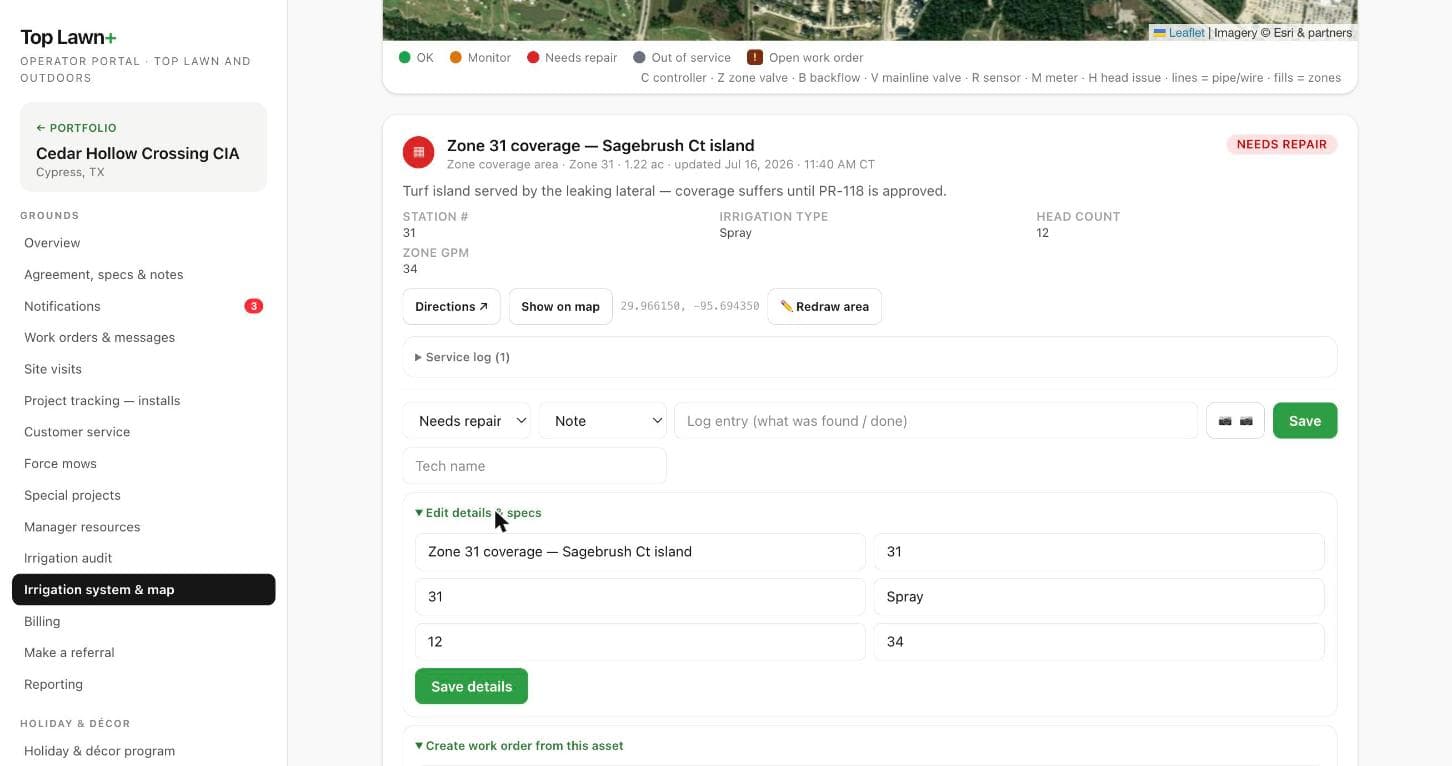
Software modules around one database. That's the whole idea.
An ERP integrates the functions of a business (sales, the work itself, purchasing, invoicing, accounting, reporting) as modules that read and write one centralized database. The agreement, the work order, the invoice, and the ledger entry are the same record seen from different chairs. A thing entered once is entered once, and the monthly statement reconciles to the work that was actually done.
Large companies have run this way for decades. The modules below are the version a small operator actually needs.
- Agreement ledger
- Every contract, rate, term, and renewal date, driving revenue instead of describing it.
- Accrual general ledger
- AR, AP, and a chart of accounts a CPA recognizes.
- Budget, goals, metrics
- Annual plan, monthly actuals, and the operating metrics that explain the gap.
- Financial statements
- Income statement, balance sheet, cash flow, and departmental view, produced from the ledger.
- QuickBooks Online
- Two-way, production integration. The books stay the books.
- Portal bridge
- The back office and the client-facing platform share one record of the work.
The traditional ERP was never priced for you.
The systems that own this category (SAP, Oracle, Microsoft Dynamics, NetSuite) are enterprise purchases. Implementations run from tens of thousands of dollars to hundreds of millions. Customization is restricted: the vendor’s “best practice” processes are imposed on the business, and your team’s job becomes configuration inside someone else’s design, with real changes going back to the vendor as requests.
So small operators run the rational alternative: QuickBooks, a scheduling app, a proposal tool, and the spreadsheet everyone secretly runs the business on, re-keying between them by hand. The integration an ERP provides is done by people, on nights and Fridays.
38%
of ERP projects run over budget, by an average of 66 percent, according to industry research on ERP implementations.
A custom ERP, built around how you run, in weeks.
Modern tooling has collapsed the cost of the build. The back office above (agreement ledger, receivables, payables, financial statements, and a production QuickBooks integration) went from nothing to in service in roughly ten days. At that cost, the trade-offs that defined ERP reverse: the system is designed around your record and your workflow instead of the vendor’s, changes are made by the people who built it, and you own it outright, code and data, from day one.
We build for businesses whose operations do not fit the generic product: the trade-specific record, the report a client actually wants, the workflow that lives on a clipboard today.
Worked example
Top Lawn+, built for TOP Lawn and Outdoors, a Houston commercial landscape and irrigation contractor.
The client-facing portal and the ERP behind it share one record of the work: the agreement drives the schedule, the crew’s capture becomes the manager’s report, and the invoice reconciles to both. Everything below is the live product, shown on a demonstration property.
The irrigation mapping program
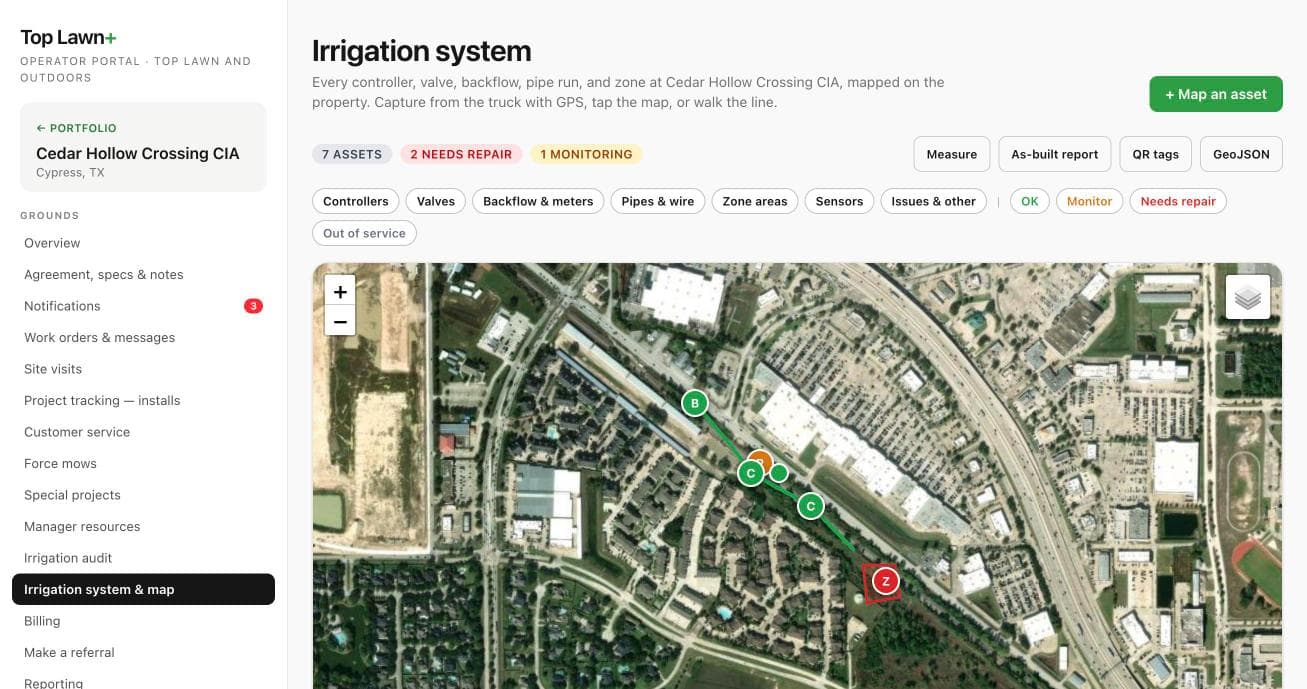
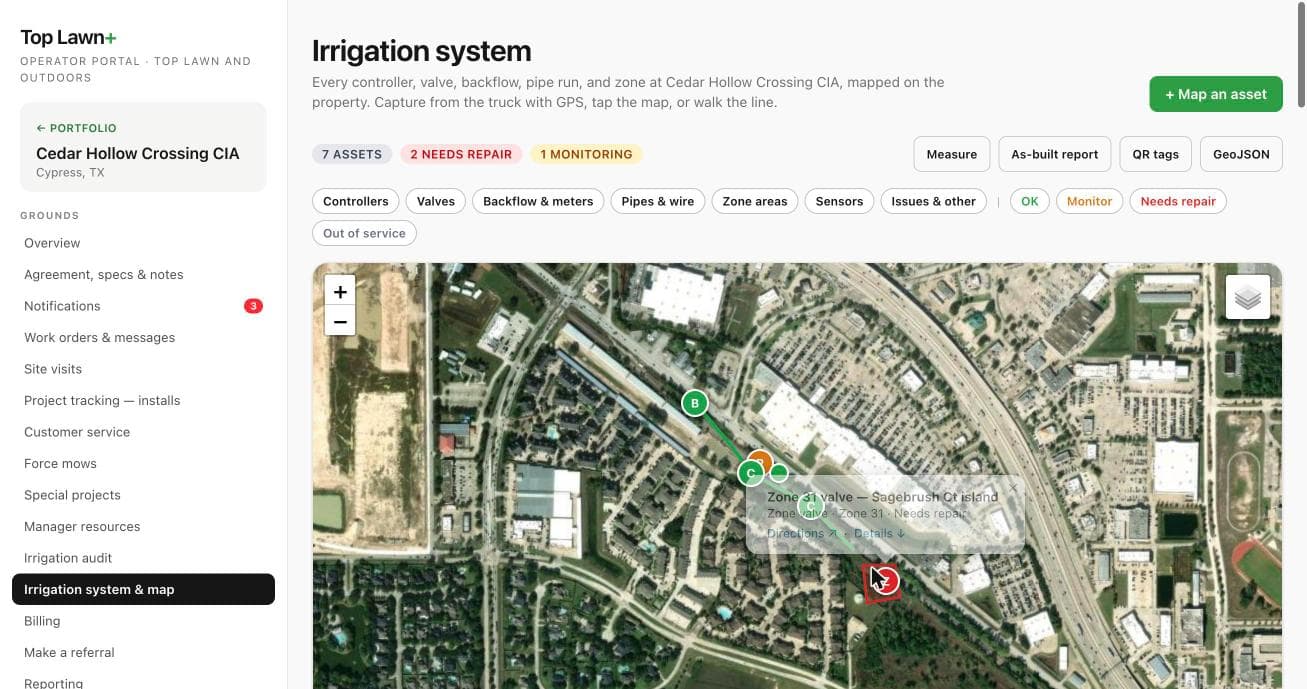
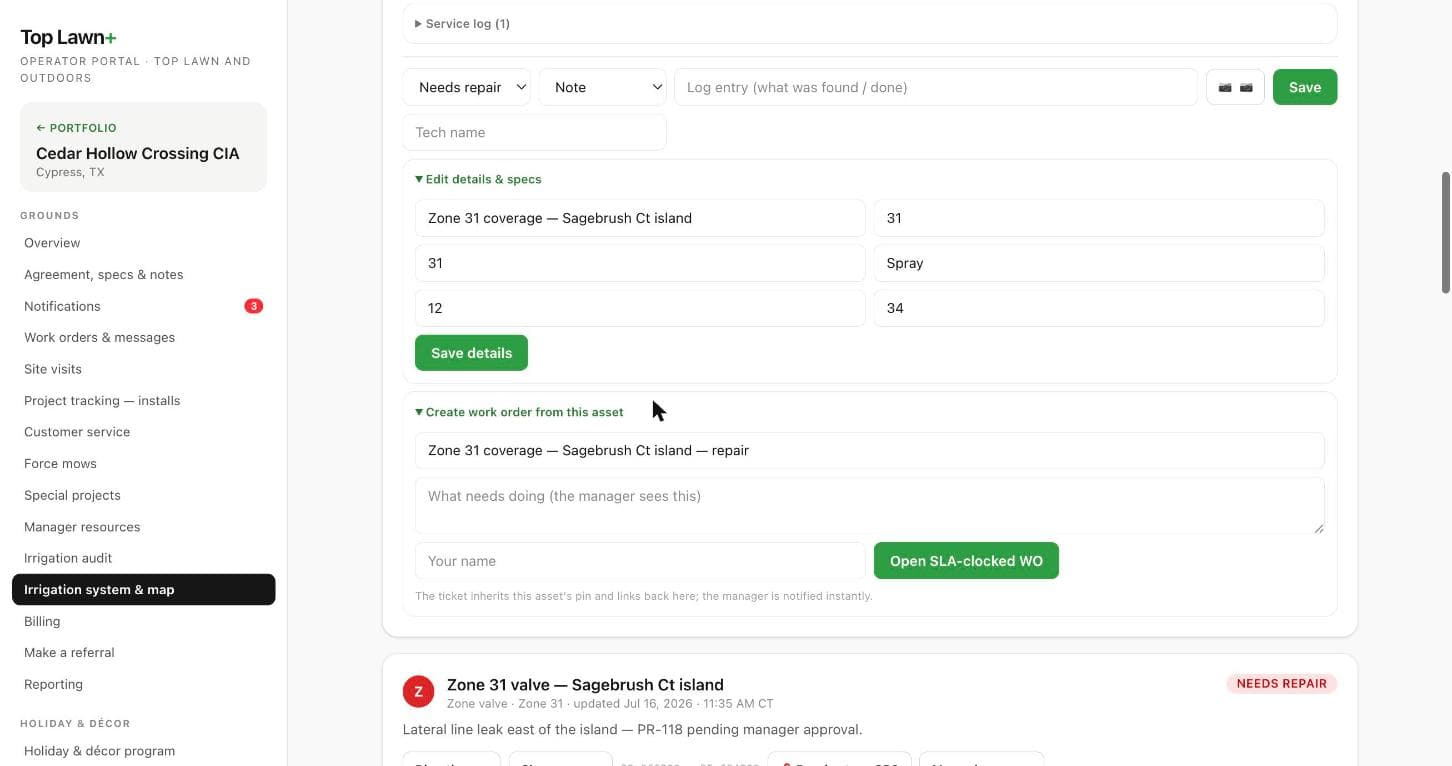
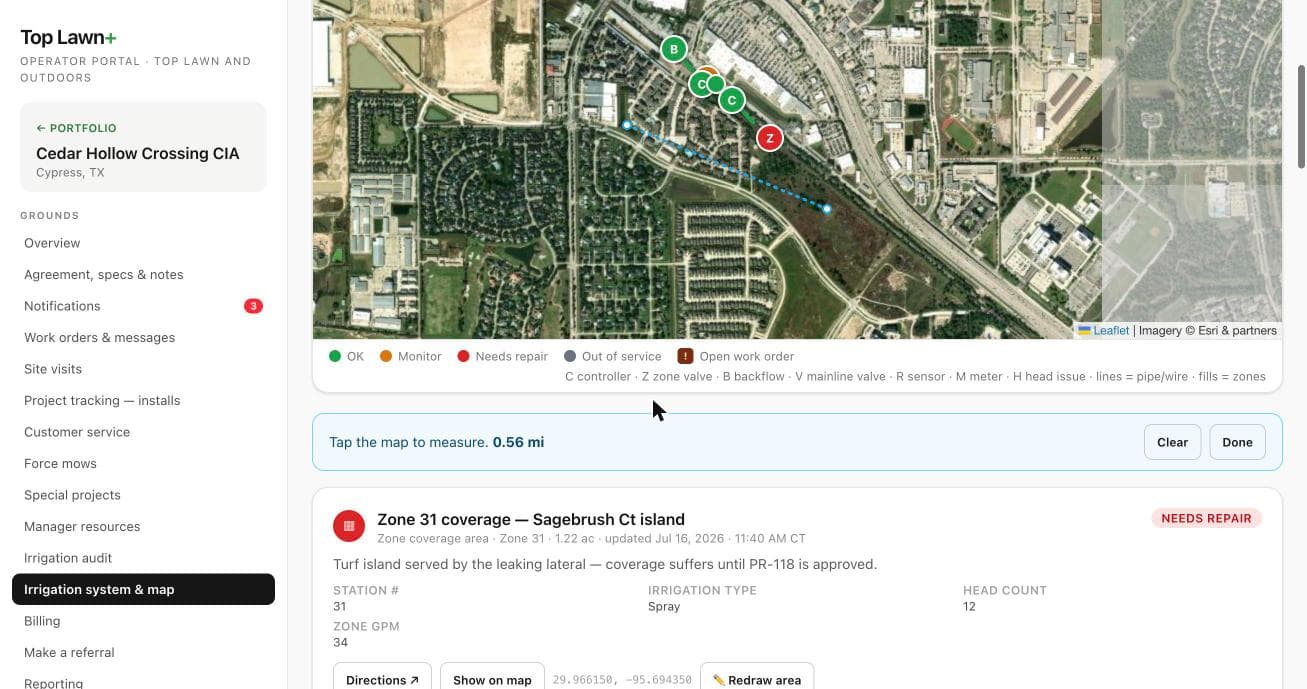
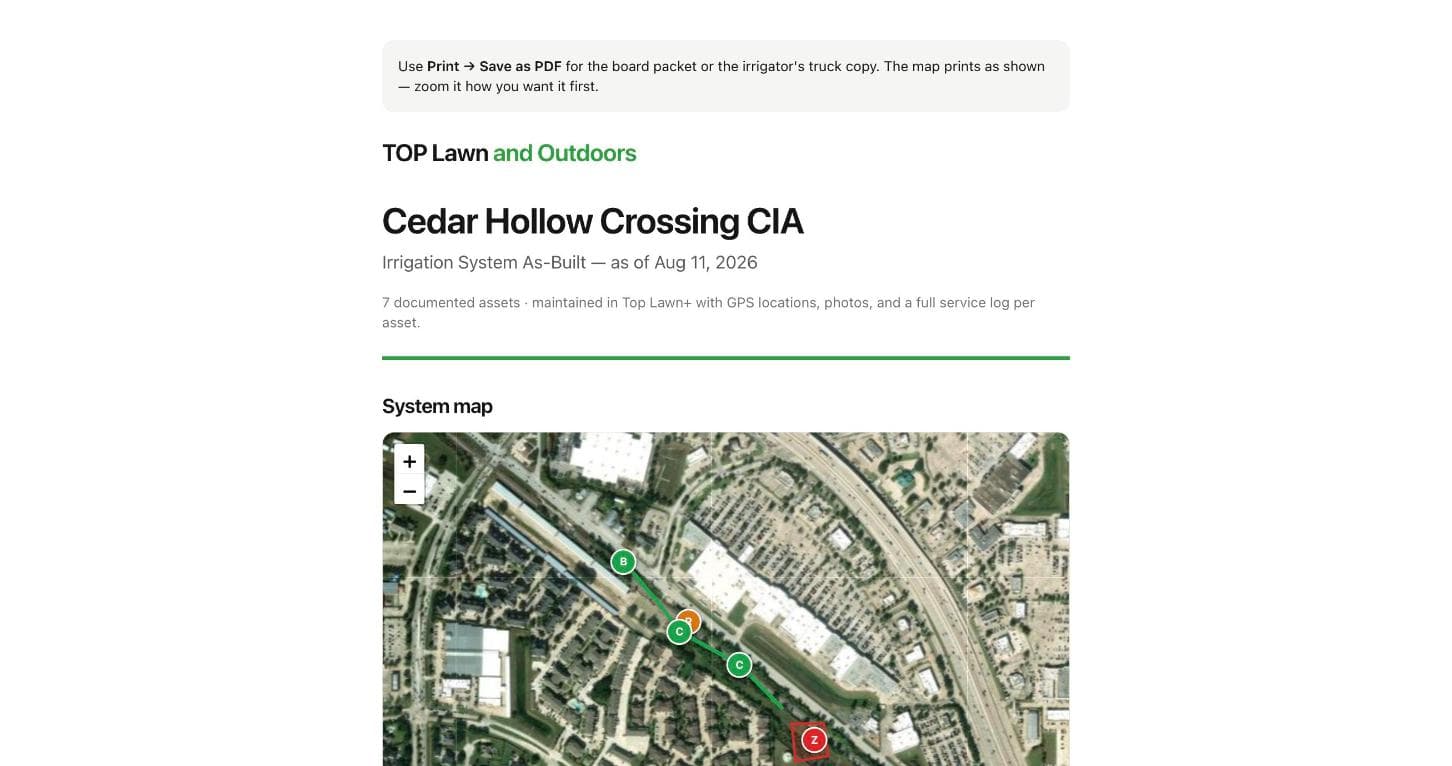
An irrigation system is buried infrastructure that usually lives in one retiring foreman’s head. Top Lawn+ puts it on the map instead: every asset with a GPS pin, a spec record, a service log, and a work order trail, plus the as-built document boards and irrigators actually use.
The rest of the portal
- Client portal
- Property managers see work orders, photo proof of service, and reports for their properties, and nothing else.
- Operator console
- Every property, agreement, crew, and open item in one place, scoped per manager.
- Crew capture
- Photo proof and work-order completion from the field, offline-capable, installable on any phone.
- Irrigation mapping and as-builts
- Zones, heads, valves, and controllers mapped on the property, linked to the work orders that touch them. Exportable as GeoJSON.
- Reports
- Generated service and inspection reports a board can read, with the photos in them.
- Property boundaries and QR
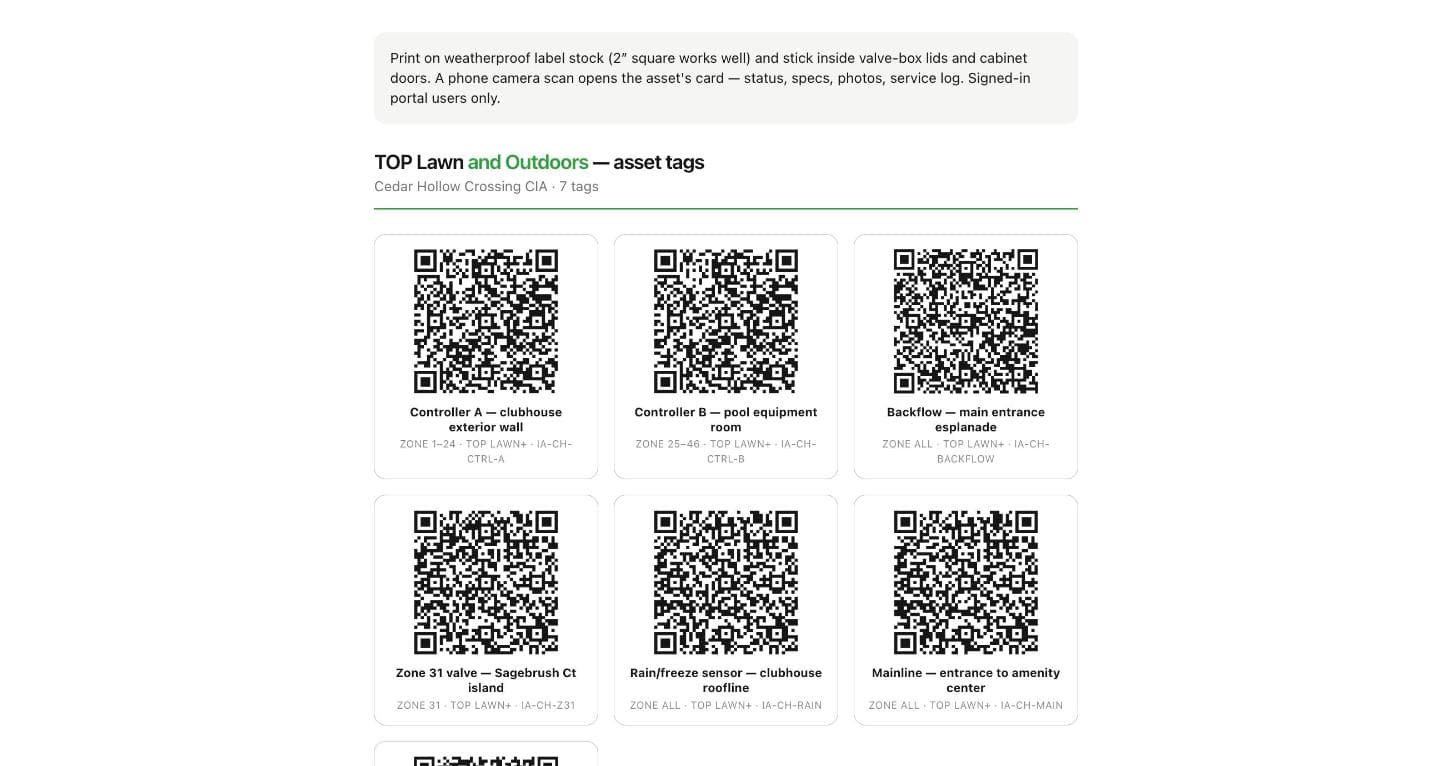
- Boundaries drawn once; QR tags that open the right asset in the field.
Licensed to be presented under your own name, hosted and maintained by us, with your data exportable at any exit. Licensing, and availability in other trades and markets, is a conversation.